
Want to see how far a learner has made it through a course? GoSkills tracks course progress as a percentage, giving both admins and learners a quick view of what’s been completed and what’s still left to do.
As learners work through a course, their progress updates automatically based on the content and activities required for completion.
First, let’s see where you can find your learners’ progress.
How admins can check a learner’s course progress
Admins can check how far an individual learner has progressed through a specific course from the Learners report.
To view a learner’s course progress:
- Go to Reports > Learners report.
- Select the learner you want to view.
- Select the specific course you want to check.
- Look for Course progress under Summary information.
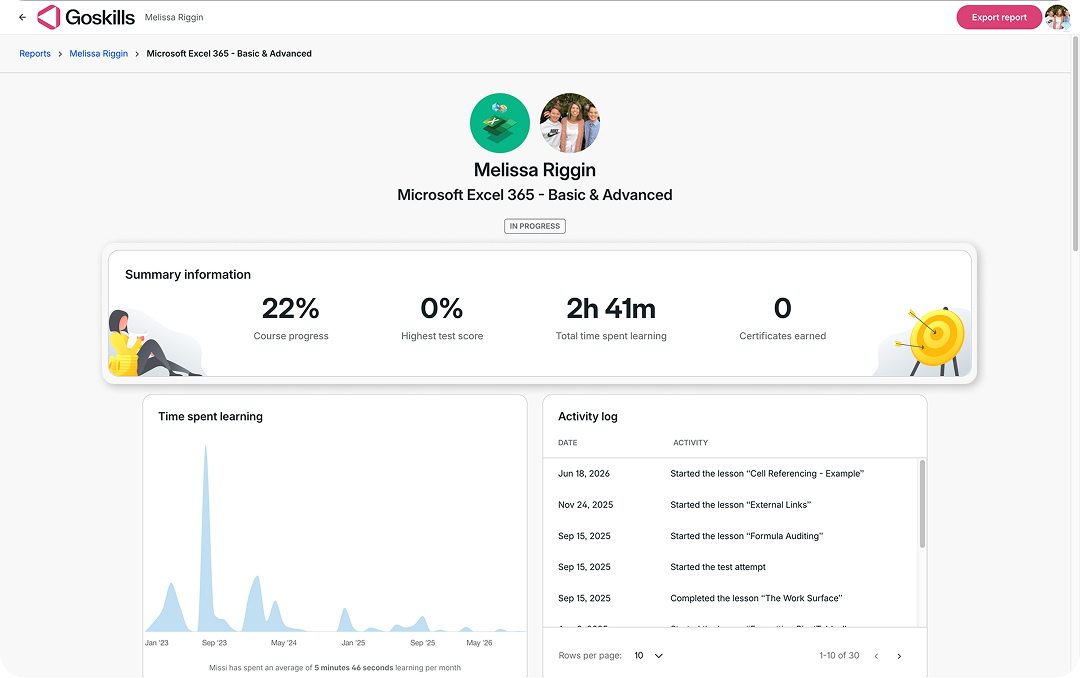
In the example above, the learner has completed 22% of the course.
How learners see their course progress
Learners can also keep track of their own progress as they work through a course.
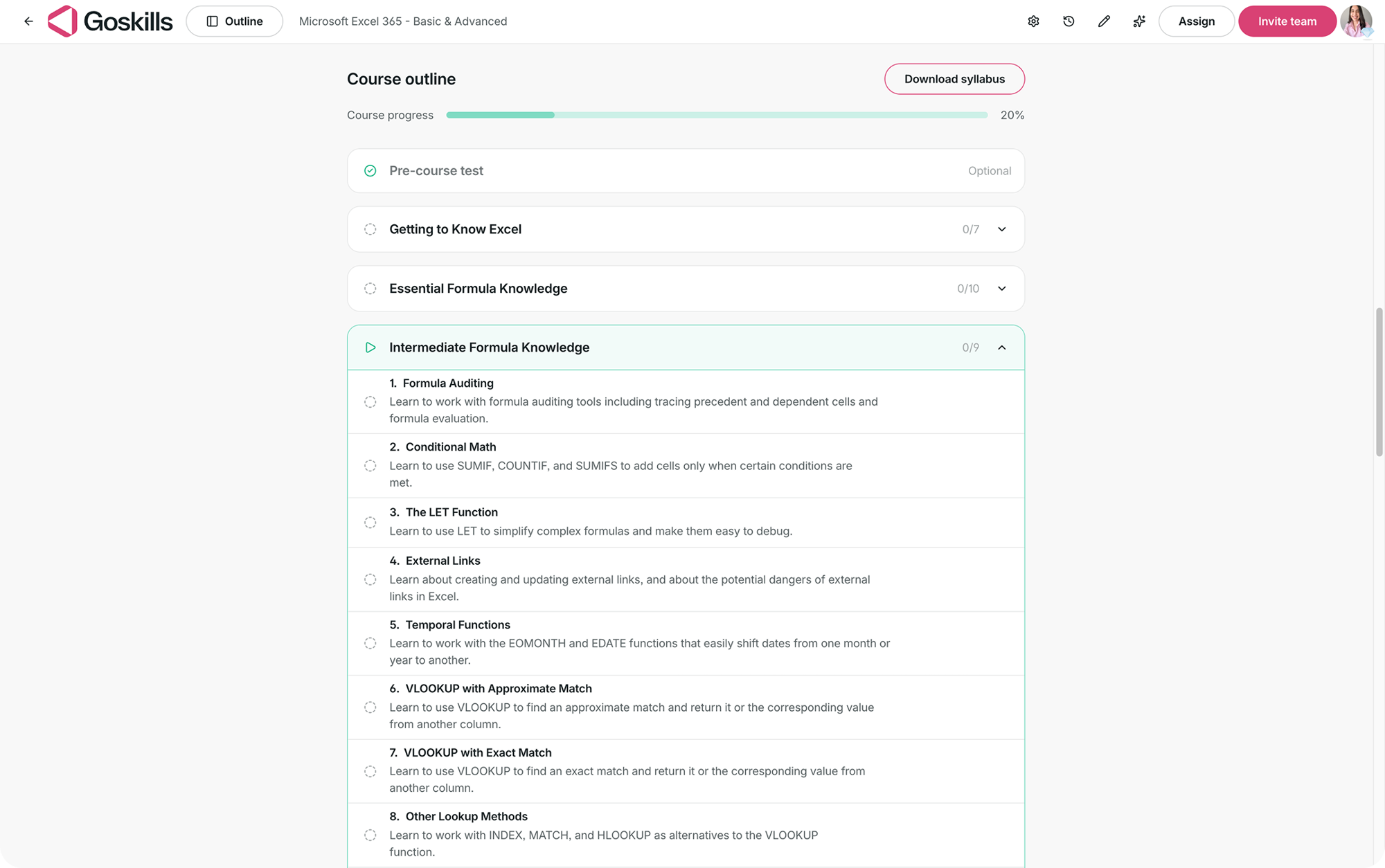
Their course progress percentage appears near the top of the course overview page and updates automatically as they complete the content and activities required for the course.
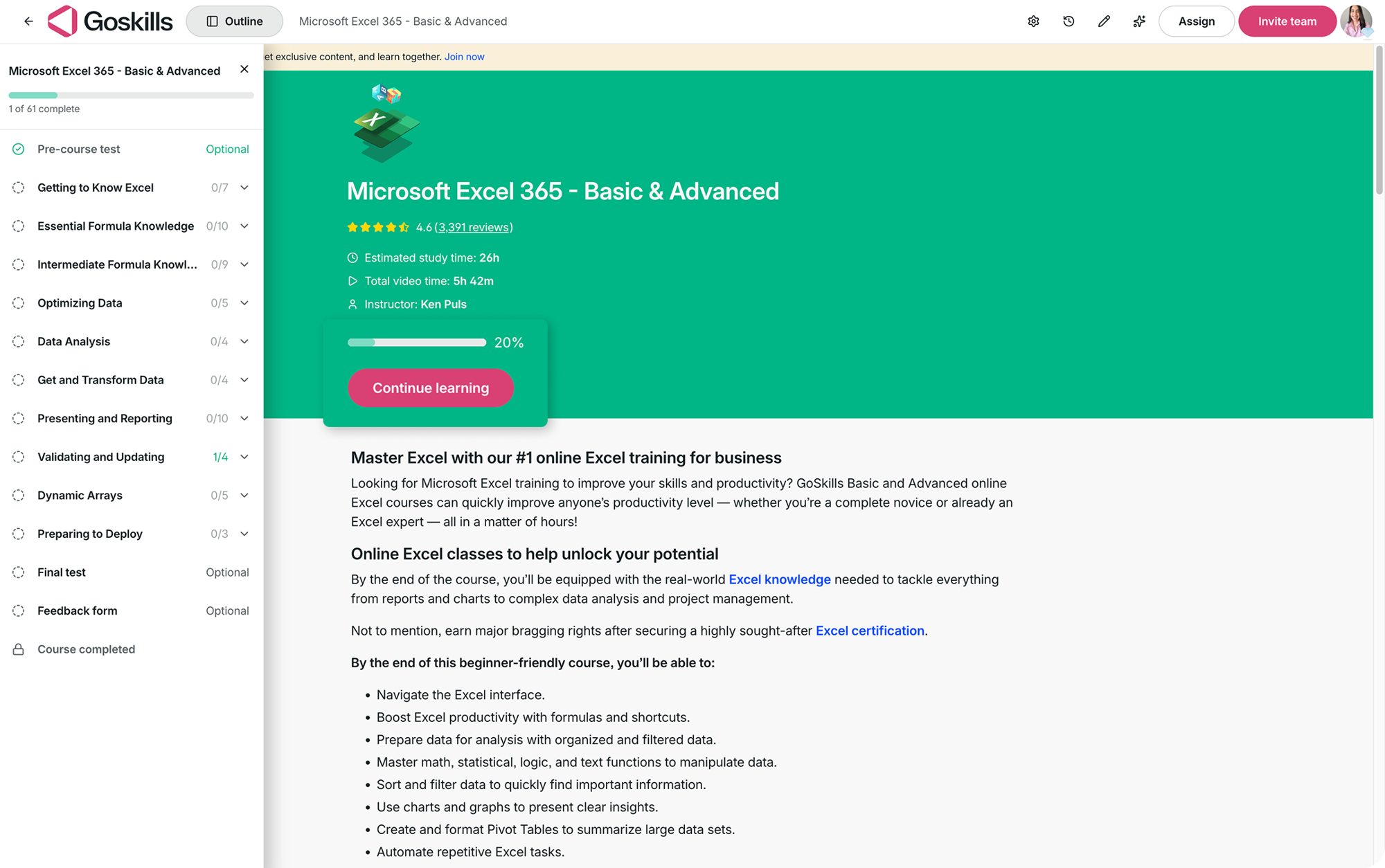
Learners can see their overall Course progress beneath the Course outline heading, along with the percentage completed.
How course progress works
Now that you know where to find course progress, let’s look at how that percentage is calculated.
Every course is worth 100 points. A few course items have small fixed values, while the course’s main content receives all the points left over.
Here’s how the 100 points are distributed:
- Pre-test: 5 points → Counts once the learner has taken the pre-test.
- Test: 10 points → Counts only when passing the test is required to complete the course.
- Feedback form: 5 points → Counts only when submitting feedback is required to complete the course.
- Main content: 80–100 points → Always counts toward progress and receives all remaining points.
The main content is always worth at least 80 points and receives any points not assigned to the other course items.
Most importantly, everything included in the progress calculation is something the learner must do to complete the course. Optional tests and feedback forms are left out, so they won’t prevent a learner who has finished the course from reaching 100%.
What counts as main content?
What counts as main content depends on the course type. GoSkills uses the following order:
- Lessons: For standard lesson-based courses.
- Live classes: For instructor-led courses.
- SCORM package: For courses containing imported third-party content.
- Overview page: For resources and learning records where the overview itself is the course.
- Test: For test-only courses.
How progress is calculated for main content
How progress is measured also depends on the type of main content:
- Lessons: Progress is based on completed lessons divided by the total number of lessons. A lesson that has been opened but not finished counts as half a lesson.
- Live classes: Progress is all or nothing, based on attendance.
- SCORM courses: Progress is based on whatever progress the SCORM package reports.
- Overview-based courses: Progress is all or nothing.
- Test-only courses: Progress is all or nothing, based on taking or passing the test depending on the course settings.
For example, imagine a 40-lesson course where lessons account for all 100 points. Each lesson is worth 2.5 points, and a lesson in progress is worth half of that. If a learner completes 20 lessons and is partway through lesson 21, they’ve completed the equivalent of 20.5 lessons, bringing their progress to 51%.
This means learners start seeing their progress move as soon as they begin working through their first lesson.
Course progress examples
Let’s look at two examples of how the calculation works in practice.
Example 1: 40 lessons with an optional test
If a course contains 40 lessons and an optional test, the test isn’t required for course completion, so it doesn’t count toward progress.
The lessons account for all 100 points, making each lesson worth 2.5 points.
Here’s how the learner’s progress changes as they work through the course:
- Opens the course: 0%
- Partway through lesson 1: 1%
- Completes 20 lessons: 50%
- Completes 20 lessons and is partway through lesson 21: 51%
- Completes all 40 lessons: 100% 🎉
The learner can still take the optional test. It simply won’t affect their progress percentage because the course can be completed without it.
Example 2: Pre-test, 40 lessons, required test, and required feedback
Now imagine a course where the learner takes a pre-test and must also pass a test and submit a feedback form to complete the course.
In this case, the pre-test is worth 5 points, the 40 lessons share 80 points, the required test is worth 10 points, and the required feedback form is worth 5 points.
With 80 points assigned to 40 lessons, each completed lesson is worth 2 points.
Here’s how the learner’s progress changes as they work through the course:
- Takes the pre-test: 5%
- Partway through lesson 1: 6%
- Completes 20 lessons: 45%
- Completes 20 lessons and is partway through lesson 21: 46%
- Completes all 40 lessons: 85%
- Passes the required test: 95%
- Submits the required feedback form: 100% 🎉
In this example, completing all the lessons isn’t enough to reach 100% because the test and feedback form are also required for course completion.
What’s changed with course progress?
We’ve updated how course progress is calculated to better reflect the work learners need to complete.
Here’s how the previous and current calculations compare for a 40-lesson course with an optional test and feedback form:
- Opens the course: 10% → 0%
- Completes 20 of 40 lessons: 30% → 50%
- Completes all 40 lessons: 50% → 100%
- Takes the optional test: 90% → 100%
- Submits optional feedback: 100% → 100%
There are three key changes:
- Opening a course no longer counts toward progress: Previously, simply opening a course accounted for 10 points. Now, progress begins when the learner starts working through the first lesson, and a lesson in progress counts as half a lesson.
- Lessons account for more of the overall progress: Previously, lessons and the test split the available points evenly. Now, lessons carry more weight to better reflect the work involved in completing them.
- Optional activities don’t count toward progress: If a test or feedback form isn’t required for course completion, it won’t prevent a learner from reaching 100%.
The result is simple: when a learner completes everything required to finish a course, their progress reaches 100%.
Frequently asked questions
1. Why don’t learners get progress for opening a course?
Progress starts when the learning does! Simply opening a course won’t move the percentage, but as soon as a learner starts their first lesson, they’ll see their progress begin to grow. A lesson that’s been opened but not finished counts as half a lesson.
2. Why is each lesson worth more in some courses than others?
It depends on what else counts toward the course. Lessons share whatever points are left after the pre-test, required test, and required feedback form are accounted for.
For example, if a learner takes the pre-test and the course has a required test and required feedback form, the lessons share the remaining 80 points. If none of these apply, the lessons can account for all 100 points.
3. A learner has completed all the lessons and reached 100%, but there’s still a test. Why?
That means the test isn’t required to complete the course. Learners are still welcome to take it, but because it’s optional, it doesn’t count toward their progress or prevent them from reaching 100%.
4. Why is a required test worth only 10 points when it covers the whole course?
Course progress is weighted by effort. A test typically takes much less time to complete than the lessons it draws on, so the lessons account for a larger share of the overall progress.
For example, a 40-question test takes around 25 minutes, while the lessons it covers take several hours.
5. Are learners penalized for skipping the pre-test?
Not at all! If a learner skips the pre-test, it isn’t included in their course progress calculation and the lessons are worth proportionally more.
For example, two learners taking the same course, one who takes the pre-test and one who doesn’t, can both reach 85% once the lessons are complete. Both can then reach 100%.
6. Does the pre-test affect a learner’s score or grade?
No. The pre-test is a diagnostic used to measure improvement and doesn’t affect the learner’s score or grade. It’s also never required to complete a course.
7. Does completing a feedback form affect learner progress?
It depends on whether the feedback form is required. If it is, completing it counts toward the learner’s progress. If it’s optional, it won’t affect their progress, and they can reach 100% without submitting it.
8. Can a learner’s progress ever go backwards?
Occasionally, yes. If new lessons are published while a learner is partway through a course, there’s now more content for them to complete. Their progress percentage may go down as a result, but they haven’t lost any of the work they’ve already completed.
This is also the one situation where a learner who previously completed a course may temporarily show less than 100% progress.
Still have questions about course progress? We’re happy to help! Drop us a line at support@goskills.com, and our team will be in touch.