
If you canceled your GoSkills organization plan but changed your mind, you can reactivate it from your Billing page.
Reactivate your plan
- From your Administrator dashboard, select Billing.
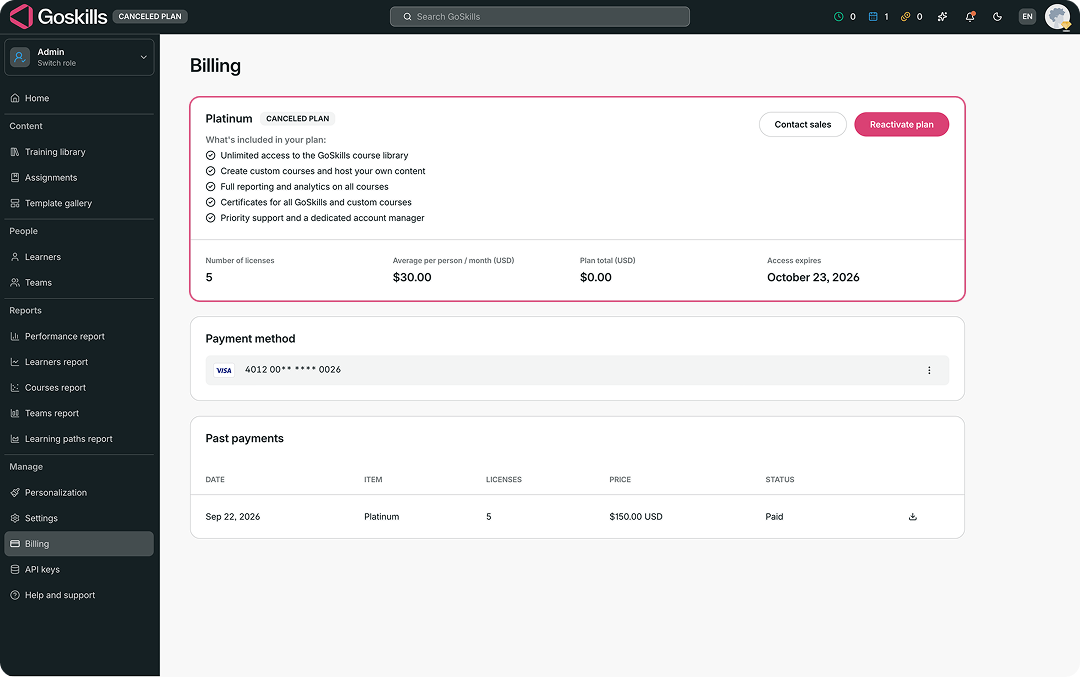
- Your current plan will be marked as Canceled plan, and you’ll see the date your access is due to expire.
- Select Reactivate plan.
- A confirmation message will show your next renewal date and renewal amount.
- Select Reactivate to confirm.
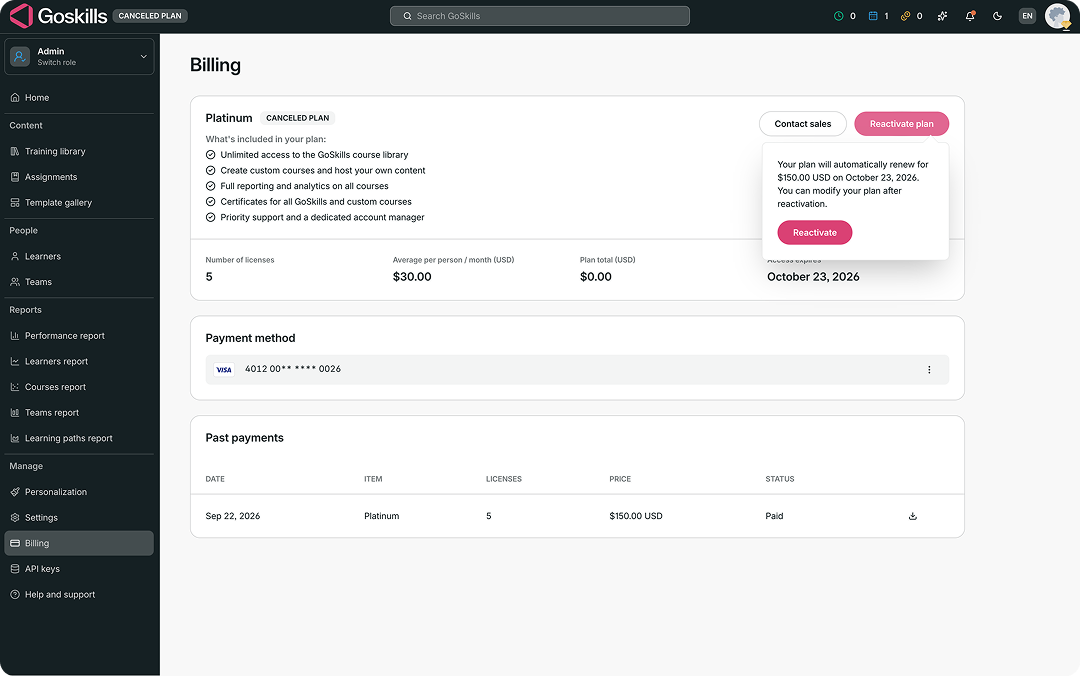
Your plan will be reactivated and will automatically renew on the date shown. You can modify your plan after reactivation.