
If your organization has a recurring monthly or yearly subscription, your plan will automatically renew until you cancel it.
You can cancel your plan at any time. Your organization will continue to have access to GoSkills until the end of your current billing period.
How to cancel your plan
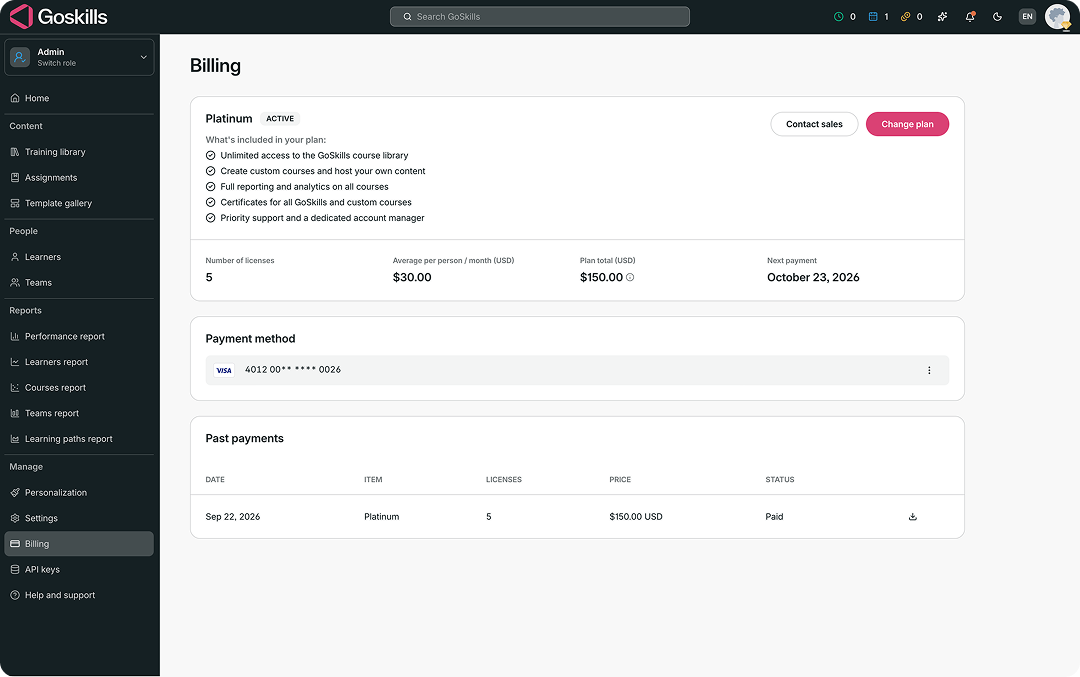
- From your Administrator dashboard, select Billing.
- Select Change plan.
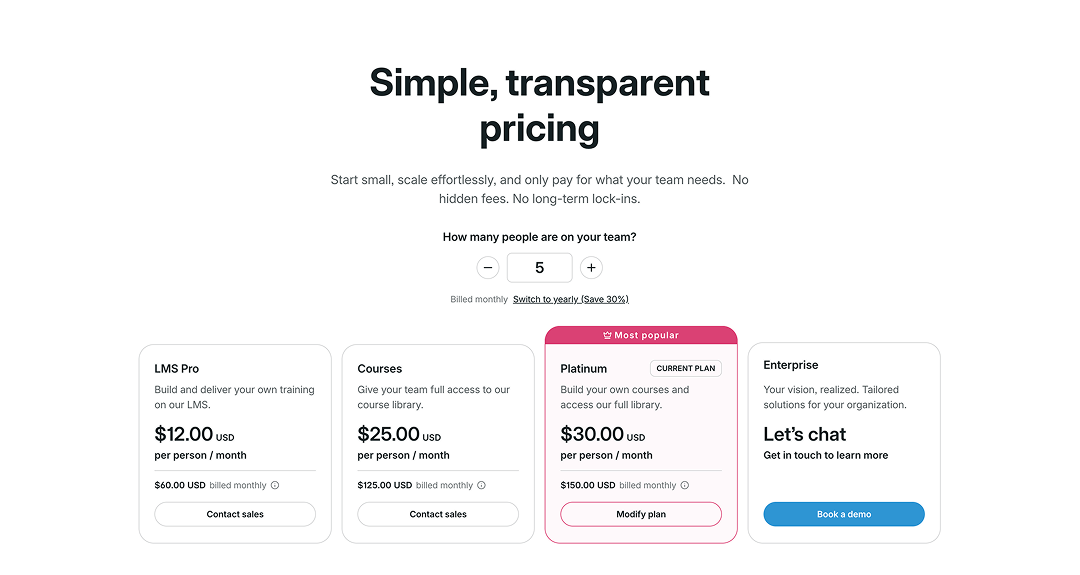
- On the pricing page, find your current plan and select Modify plan.
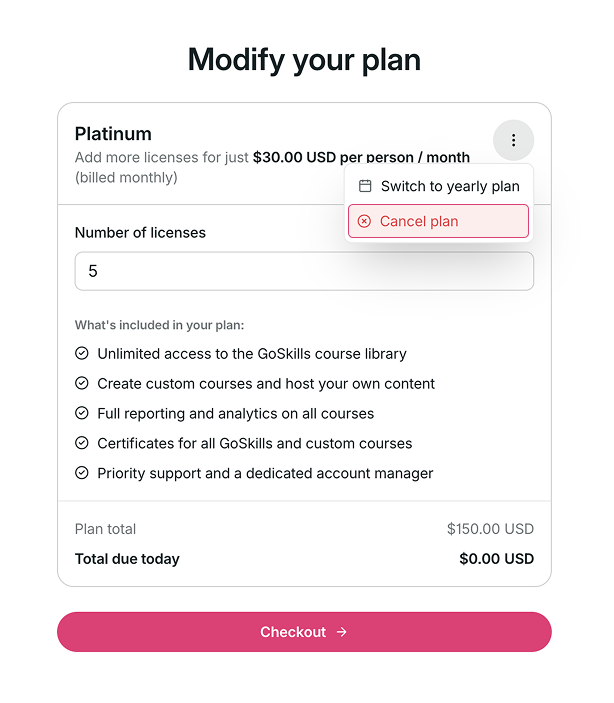
- On the Modify your plan page, select the three-dot menu in the upper-right corner.
- Select Cancel plan.
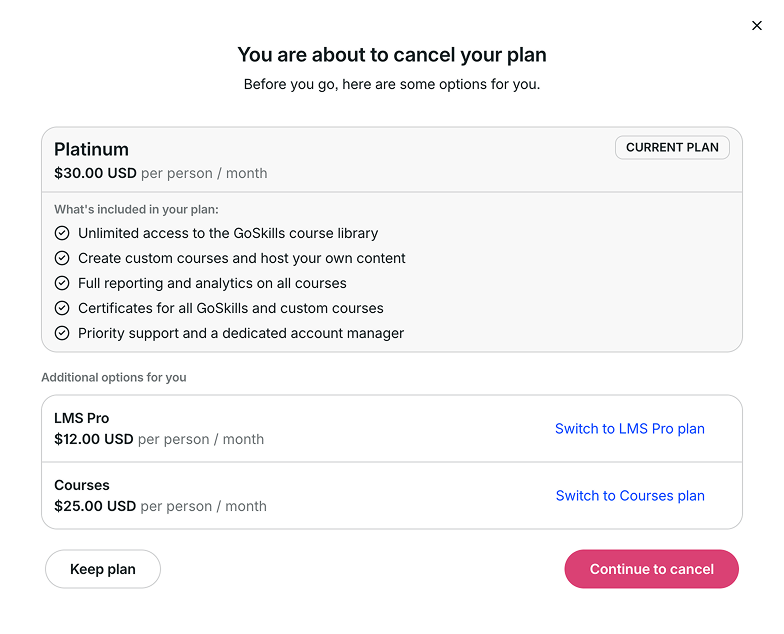
- Before continuing, you’ll see options to keep your current plan or switch to another available plan.
- To proceed with cancellation, select Continue to cancel.
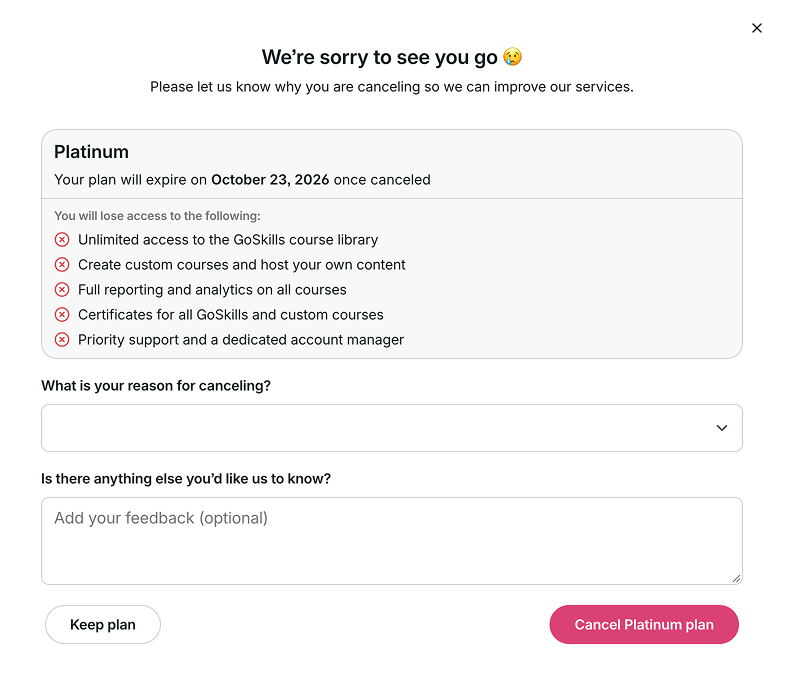
- Review the date your plan will expire and the features you’ll lose access to after cancellation.
- Select your reason for canceling from the dropdown menu.
- You can also provide additional feedback if you’d like.
- Select Cancel [plan name] plan to confirm your cancellation.
Your organization will remain active until the end of your current billing period.
Having trouble canceling your plan? Contact us at support@goskills.com for assistance.