
GoSkillsHelp center Back to GoSkills
  • Home
  • What’s new
    Release notes
  • Get started
    Creating an account Signing in Setting up
  • Manage your organization
    Admin dashboard Training library Browse courses Learners Teams Team admins Assignments Personalization Gamification Integrations Accessibility
  • GoSkills courses
    Courses
  • Course builder
    Creating courses AI powered assistance Manage created courses
  • Reports & analytics
    Reports
  • Subscription billing
    Billing
  • Security & troubleshooting
    Security Troubleshooting
  • Account
    Manage your individual account
Billing

View past payments

1-minute read

María Fernanda Castro

To view previous payments, select Billing from your admin dashboard.

Scroll down to the Past payments section. Here, you can review previous payments and download receipts when available.
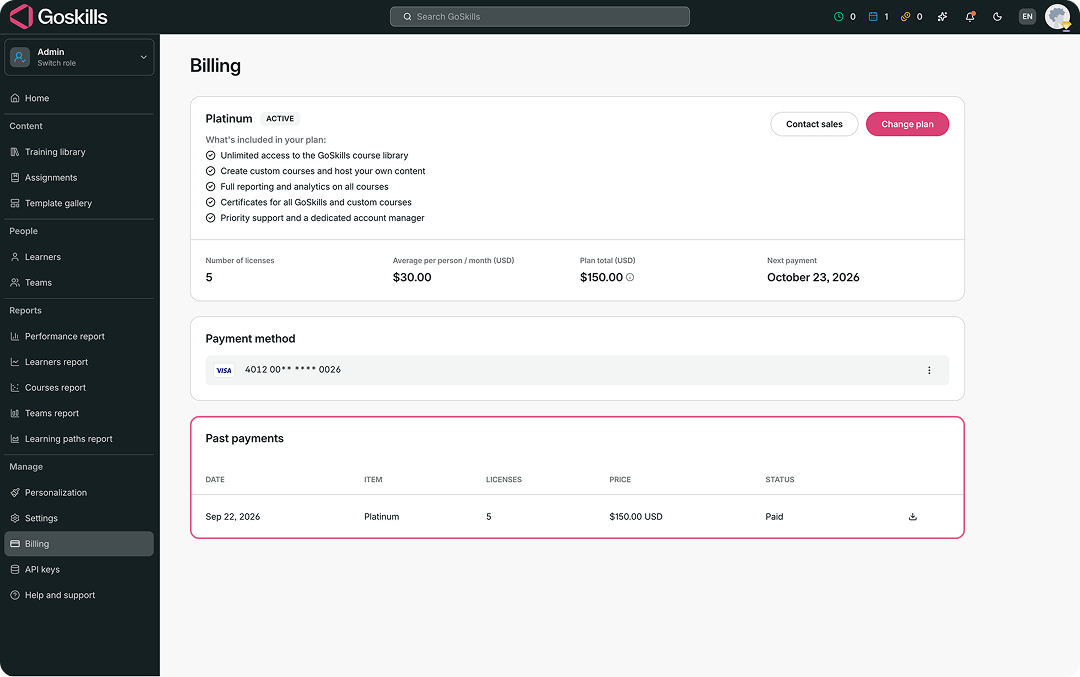
Past payments section in the GoSkills Billing page showing a previous payment and receipt download option.

If you have any questions about your billing information, contact us at support@goskills.com and we’ll be happy to help.

Author
María Fernanda Castro
Related posts
Managing licenses Find billing information Switch to a yearly plan Switch to a monthly plan Reactivate your organization plan Add or update a payment method Add additional licenses Reduce your number of licenses Reassign a license Cancel your organization plan Request a refund Individual and Team plans at GoSkills

© 2026 GoSkills Ltd. Skills for career advancement

Back to the top