
Question blocks in the GoSkills Course Builder let you add interactive knowledge checks throughout your lessons, giving learners opportunities to practice and check their understanding as they progress.
Whether you’re reinforcing key concepts, teaching workplace procedures, or helping learners apply their knowledge to realistic situations, there are nine question formats to suit your training needs.
How to add a question block to a lesson
- Open your course in the Course Builder and go to the lesson where you want to add a question.
- Select Add a block, scroll down to the Engage category, and select Question.
- Choose the question type you’d like to add and customize its content.
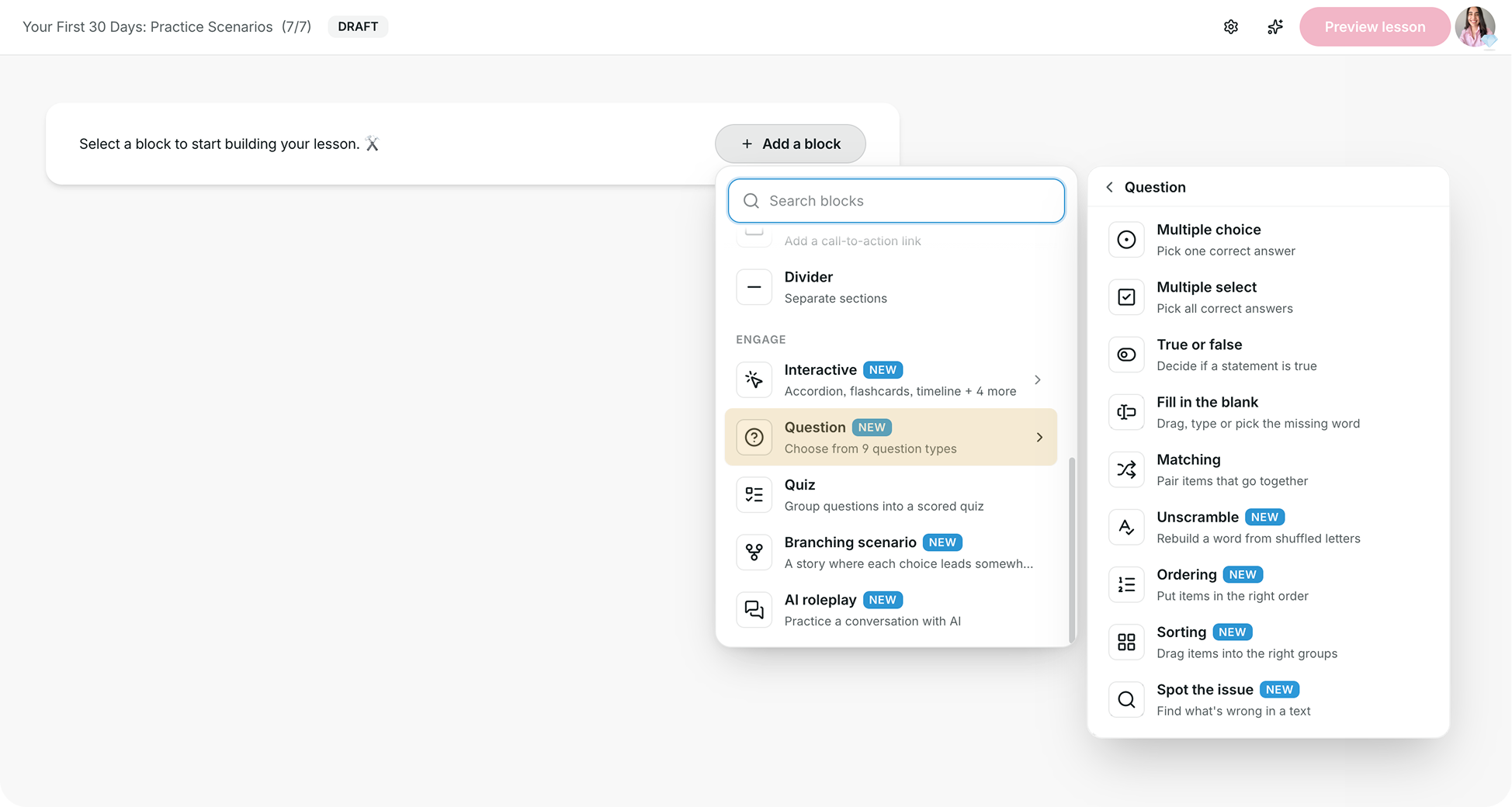
You can also group questions inside a Quiz block to create a scored assessment.
How question blocks work
Question blocks share several features that help guide and motivate learners. Depending on the question type and your settings:
- Feedback and retries: Learners receive feedback on their answers. In questions with multiple parts, correct responses turn green and remain locked, while Try again lets learners focus on correcting their mistakes.
- Hints: If you’ve added a hint, learners can select View hint after an incorrect attempt.
- Answer reveals: Use Show correct answer or Offer the answer after 3 tries to help learners who are stuck, depending on the question type.
- Completion requirements: Choose whether learners need to answer a question or answer it correctly before continuing.
- Coin rewards: Learners can earn 10 GoSkills coins for a correct response, depending on the reward settings.
Sorting questions work a little differently. Each placement is checked immediately, and learners only earn coins if they sort every item correctly on the first try.
Inside a Quiz block, questions are scored when the quiz is submitted rather than through individual attempts and retries.
Explore the nine question blocks
1. Multiple choice
Ask learners to select one correct answer from several options. Multiple choice questions work well when there’s one correct or most appropriate response, such as choosing the best way to handle a customer complaint.
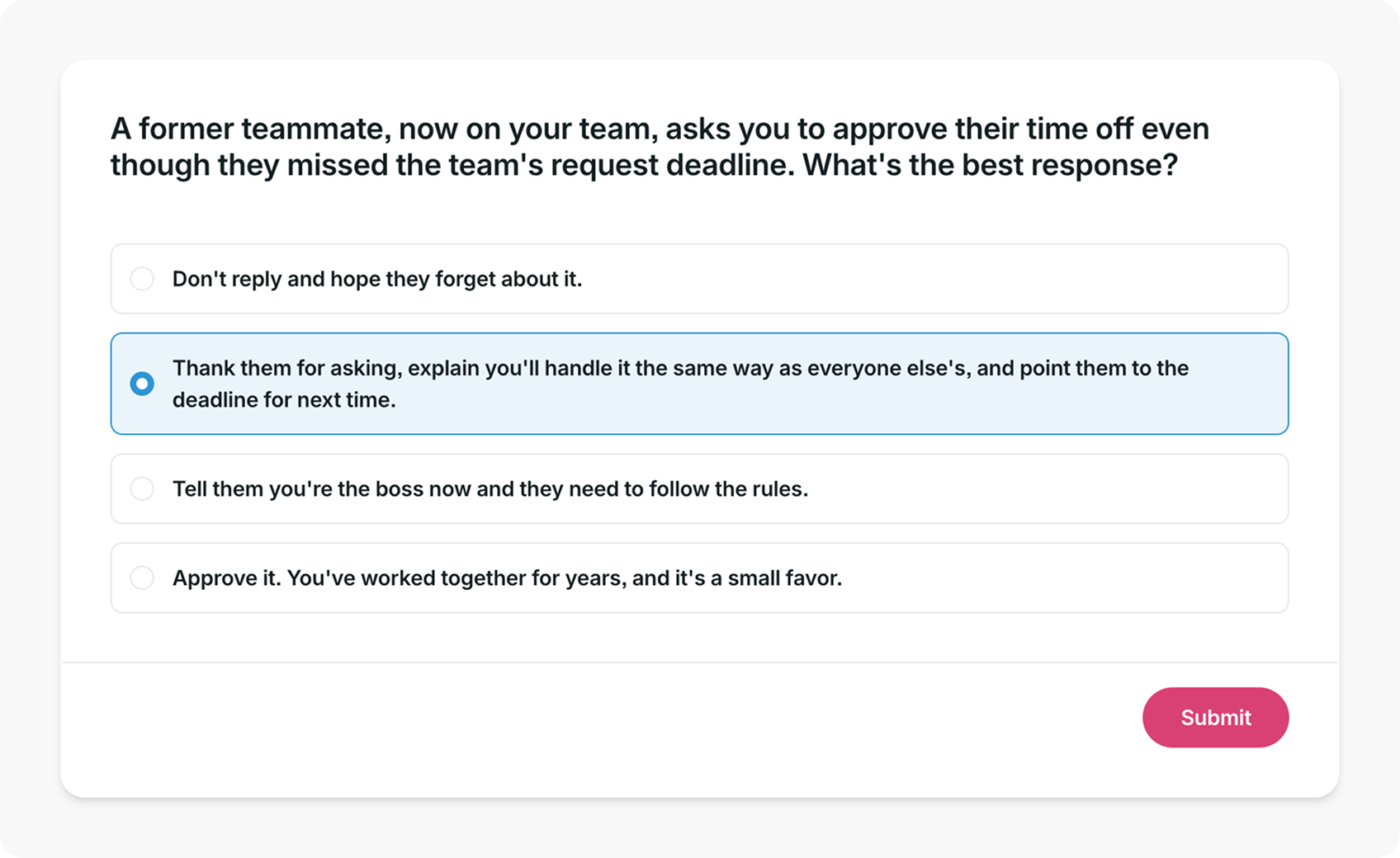
Learn more: Multiple choice questions
2. Multiple select
Ask learners to identify all correct answers from several options. Multiple select questions are useful when several actions or statements are correct, such as identifying tasks a manager can delegate.
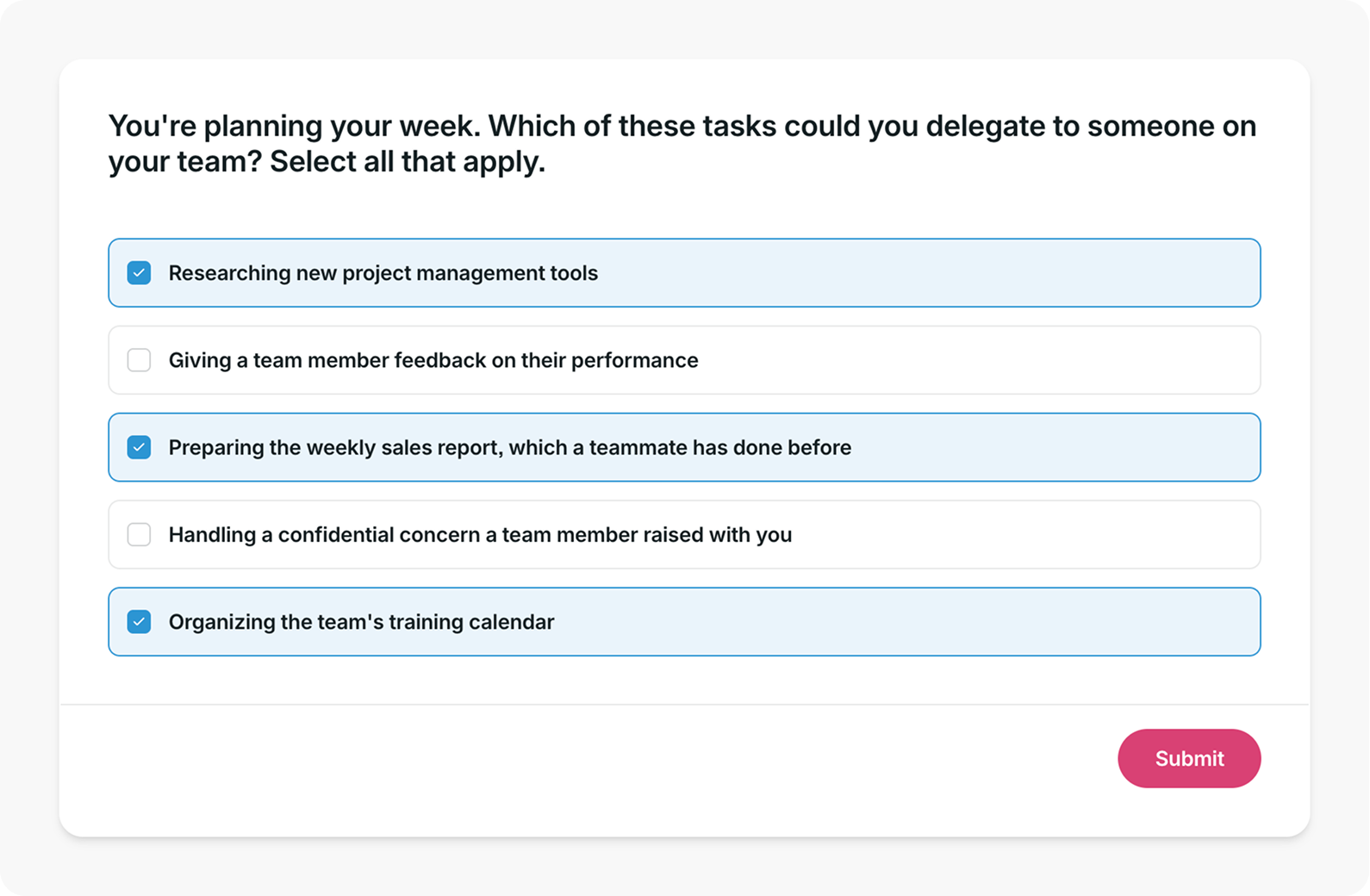
Learn more: Multiple select questions
3. True or false
Present a statement that learners must identify as true or false. This format works well for quick fact checks, reinforcing rules, or challenging common misconceptions about workplace practices.
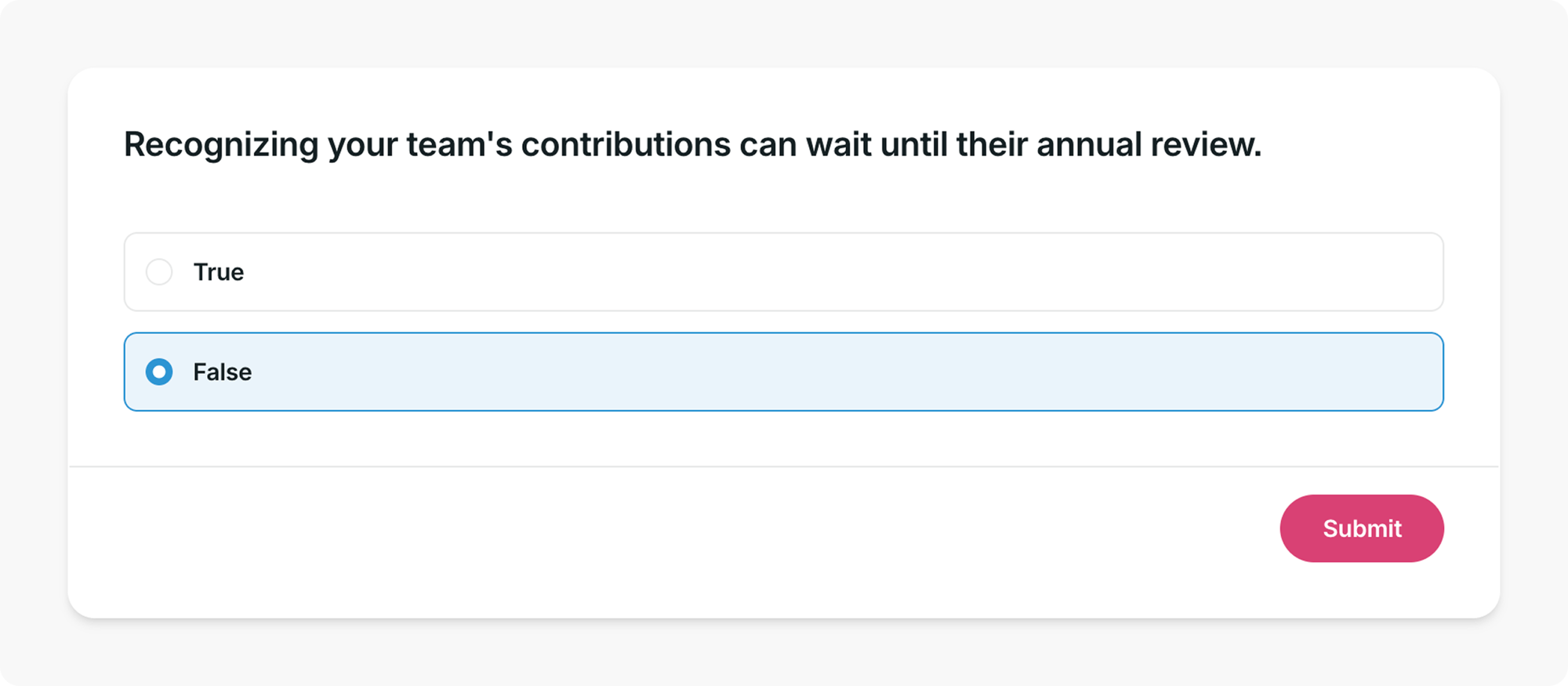
Learn more: True or false questions
4. Fill in the blank
Ask learners to complete a passage by dragging, typing, or selecting missing words or phrases. Fill in the blank questions help reinforce terminology and important details in context, such as the key elements of giving effective feedback.
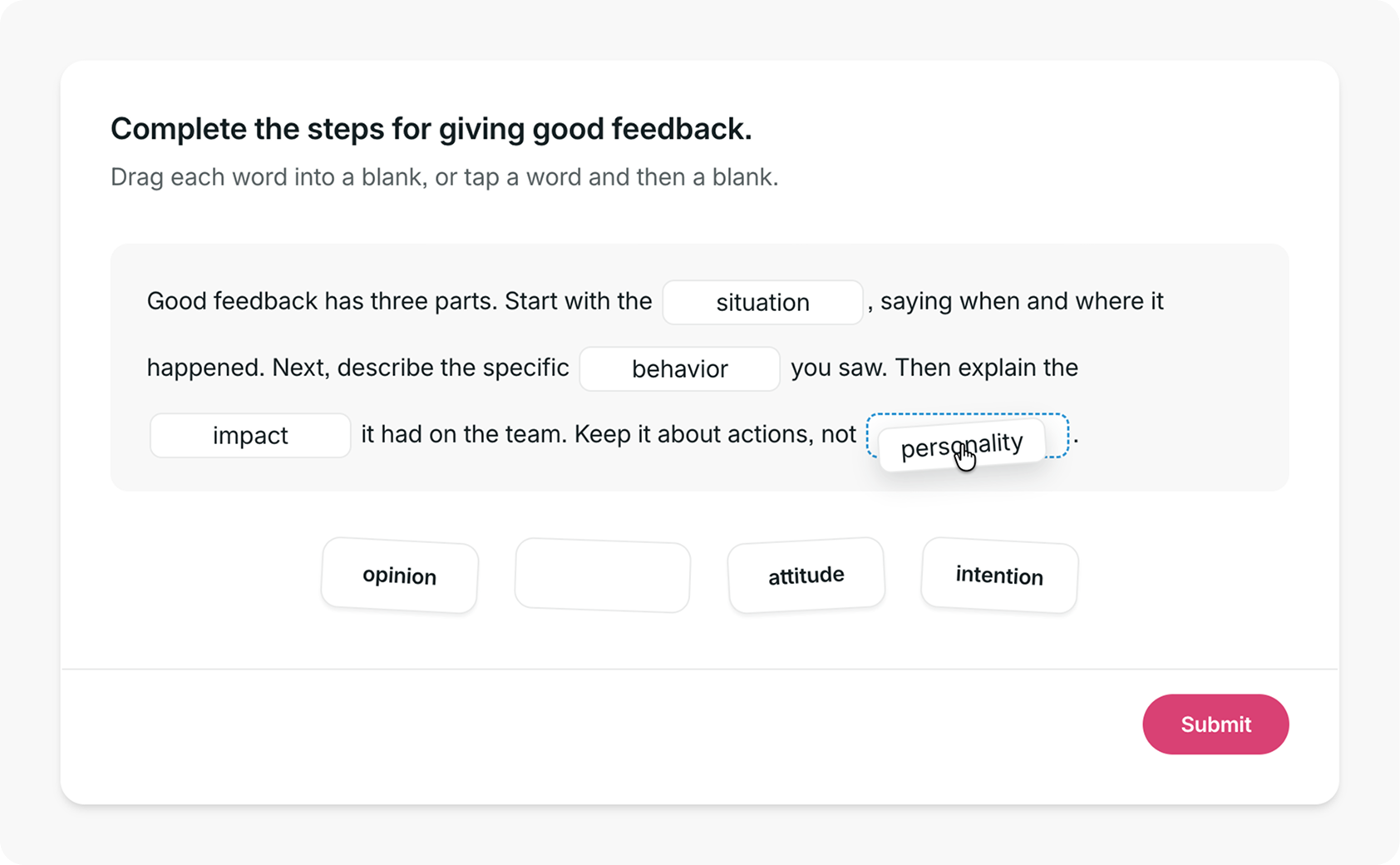
Learn more: Fill in the blank questions
5. Matching
Let learners pair related items by placing answer cards into their corresponding slots. Matching questions are useful for connecting terms with definitions, product features with benefits, or communication techniques with practical examples.
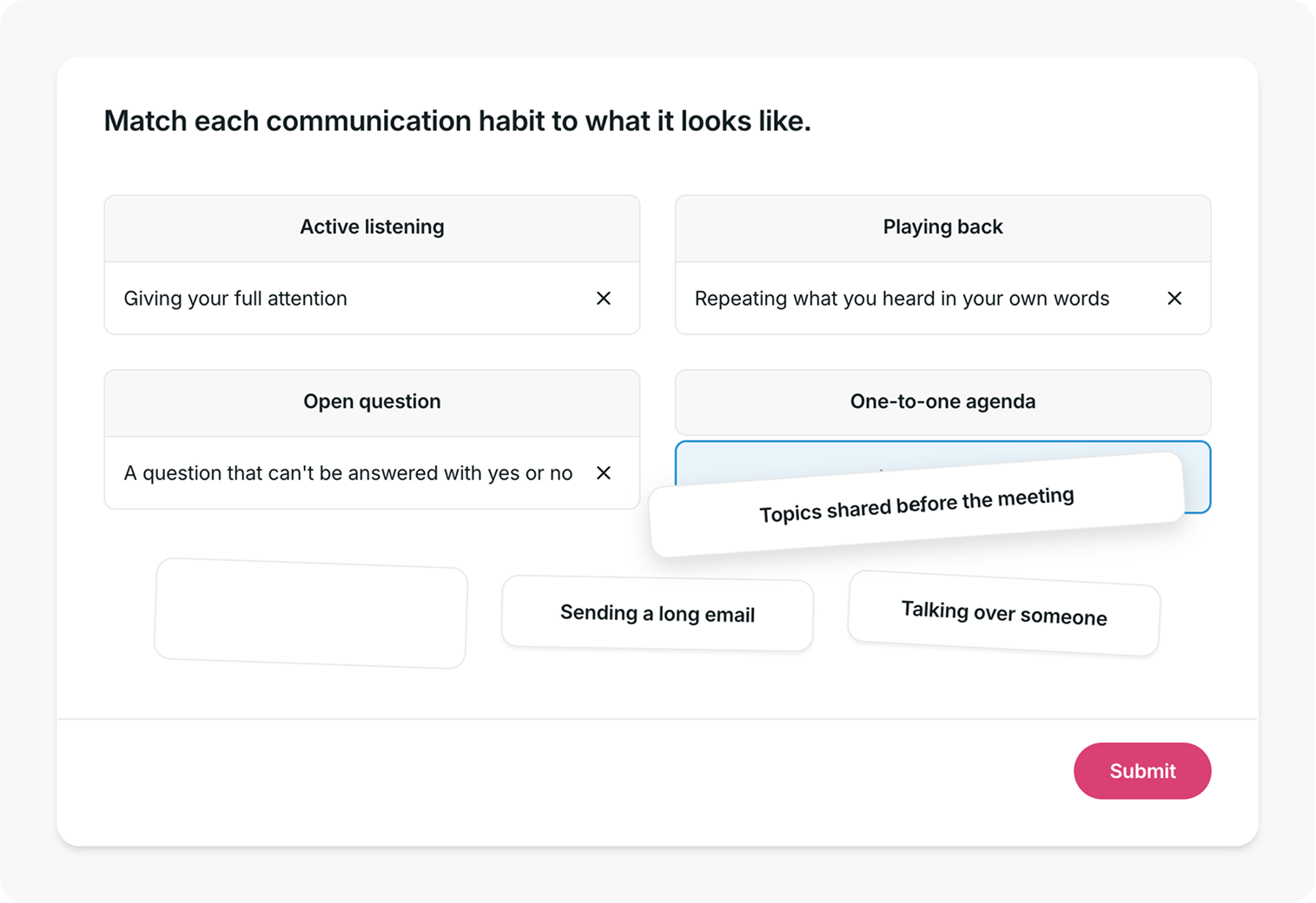
Learn more: Matching questions
6. Unscramble
Challenge learners to rebuild a word or phrase from shuffled letters using a clue. Unscramble questions add a playful element to knowledge checks and help reinforce important terminology, such as recalling the term “delegation.”
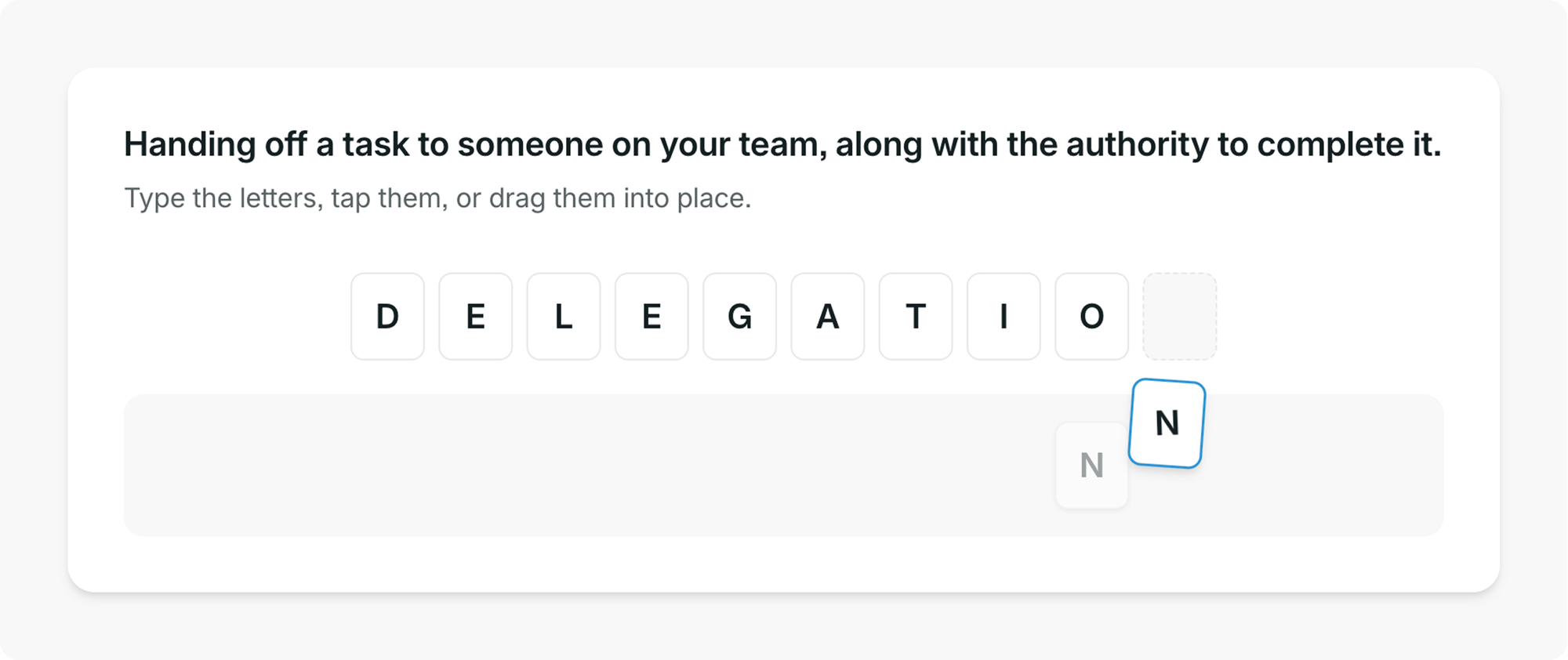
Learn more: Unscramble questions
7. Ordering
Ask learners to arrange shuffled items in the correct sequence. Ordering questions are ideal for practicing workflows, safety procedures, or processes where the order of actions matters, such as the steps for delegating a task.
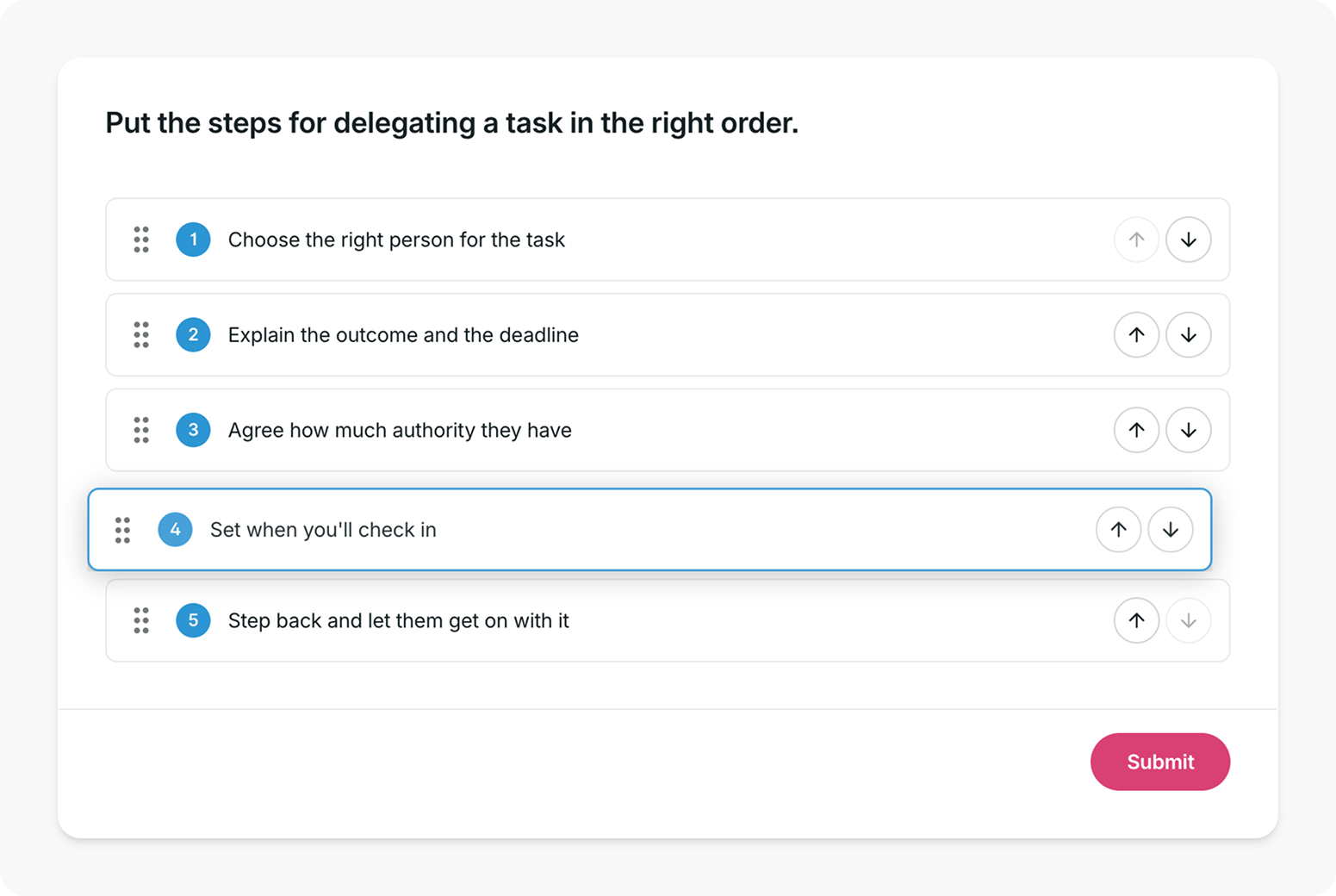
Learn more: Ordering questions
8. Sorting
Let learners place items into their correct groups and receive immediate feedback on each placement. Sorting questions help learners distinguish between categories, such as tasks managers can delegate and responsibilities they should handle themselves.
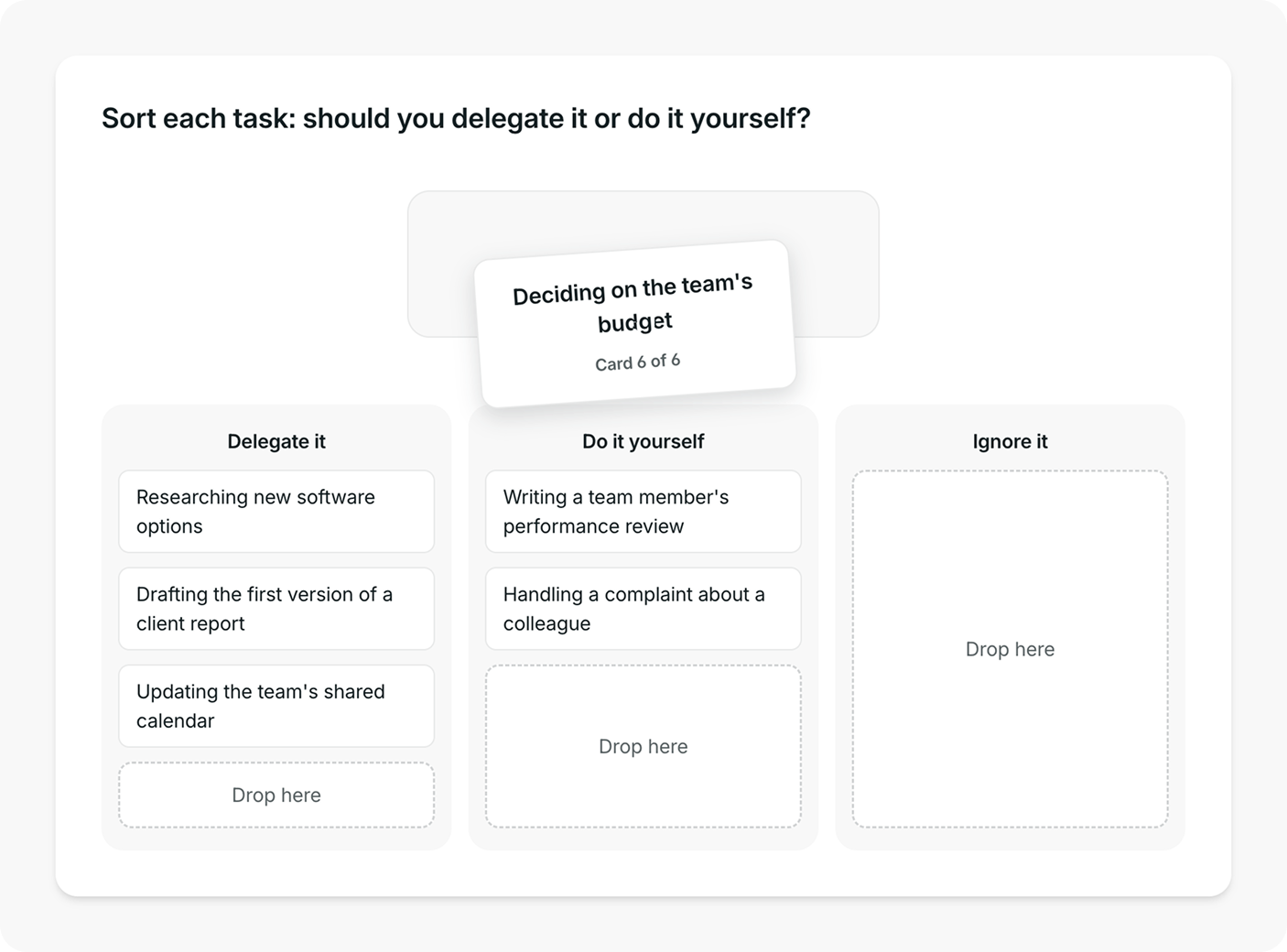
Learn more: Sorting questions
9. Spot the issue
Present a conversation or document and ask learners to identify problematic lines. Spot the issue questions are particularly useful for recognizing warning signs, policy violations, or inappropriate messages in a workplace conversation.
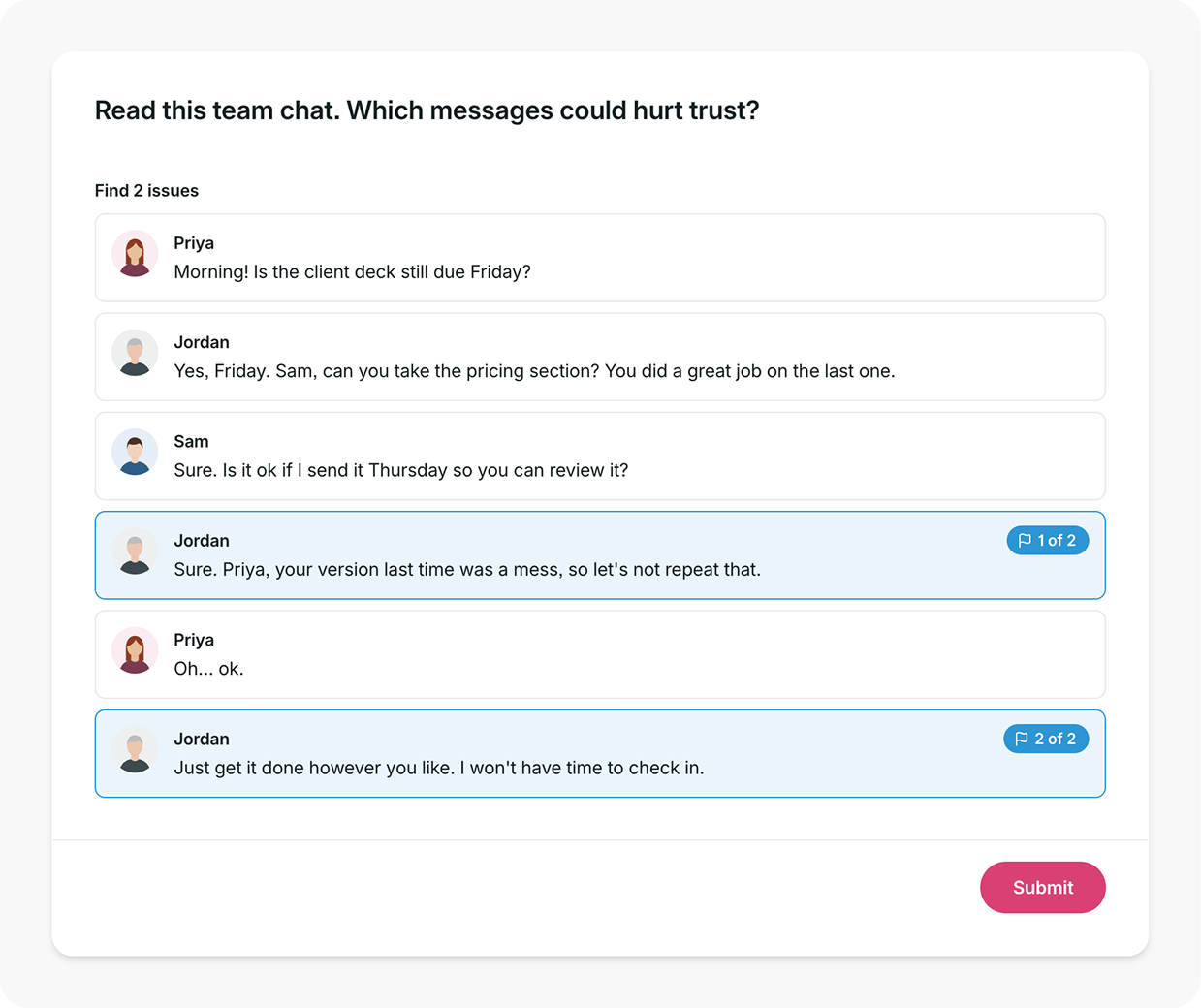
Learn more: Spot the issue questions
Choosing the right question block
Think about what you want learners to practice or demonstrate:
- Identify one correct response: Multiple choice.
- Recognize several correct responses: Multiple select.
- Distinguish facts from misconceptions: True or false.
- Recall information in context: Fill in the blank.
- Connect related pieces of information: Matching.
- Recall specific words or terms: Unscramble.
- Arrange steps in the correct sequence: Ordering.
- Classify items into categories: Sorting.
- Recognize mistakes or problematic statements: Spot the issue.
You can combine different question types throughout a course to give learners a variety of ways to practice and apply their knowledge.
Tip: Select Preview lesson to see how learners will interact with each question block before publishing your course.