
As a learner in GoSkills, you can access your training, view the structure of a course, move between lessons and activities, and track your progress as you learn.
Depending on how a course has been set up, it may include lessons, tests, feedback forms, a completion page, skills, and a certificate.
Find a course in the Training library
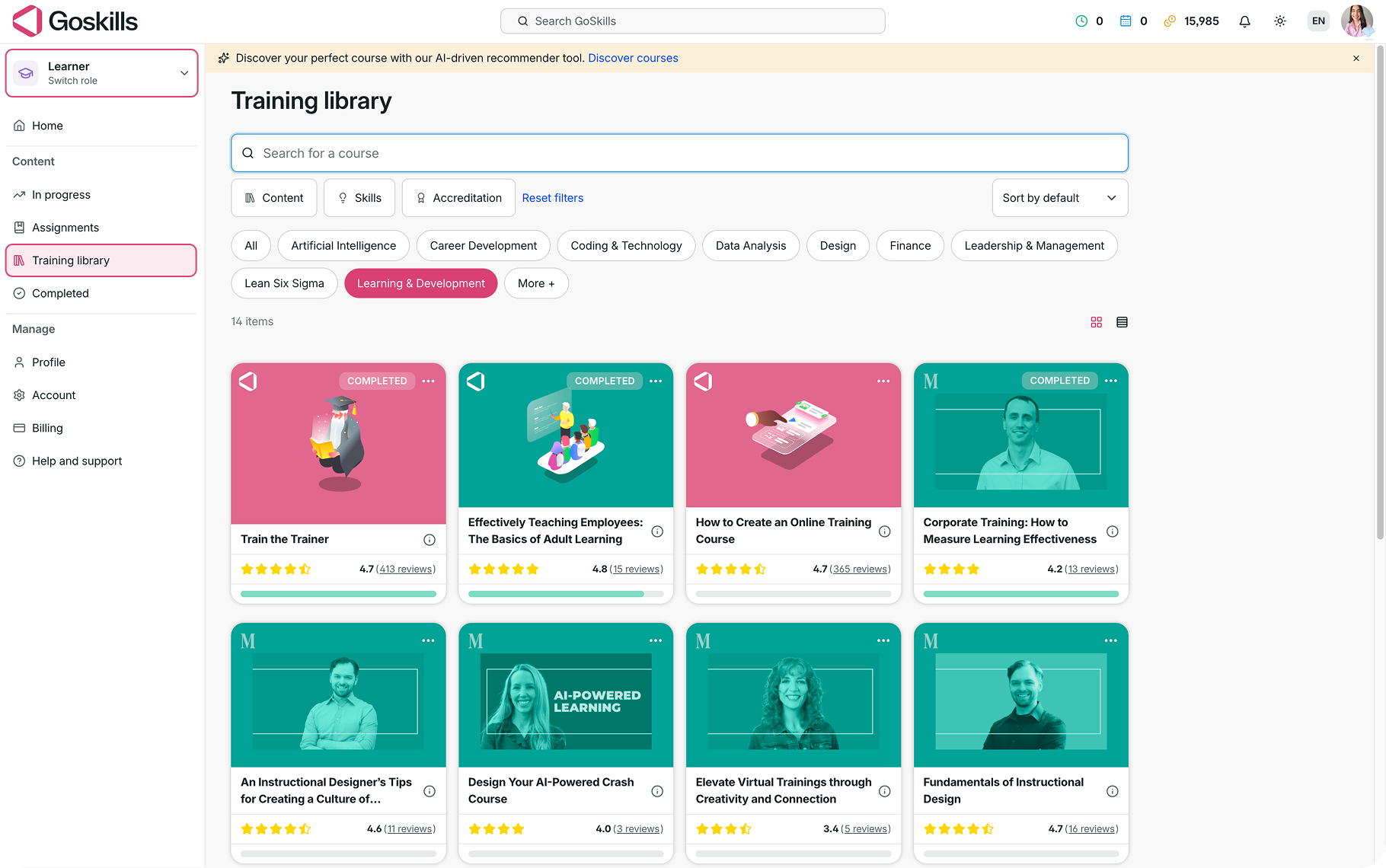
To explore available courses, switch to the Learner role and select Training library from the left-hand menu.
From the Training library, you can search for a course or use the available filters to browse by content, skills, accreditation, or topic.
Select the course you’d like to take to open it.
View the course overview and outline
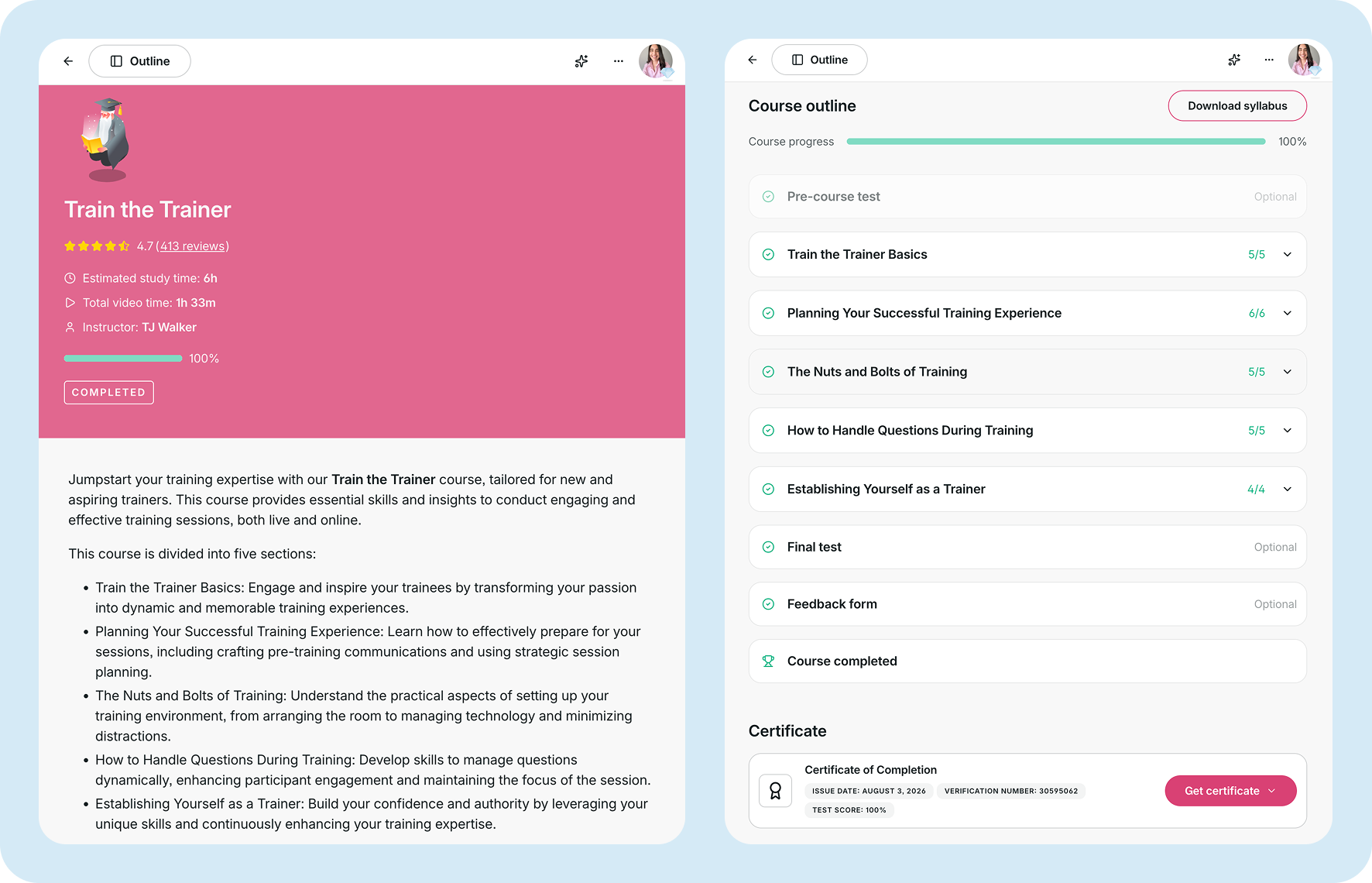
When you open a course, the course overview gives you key information about the training, such as the course description, estimated study time, instructor, and your progress.
Select Outline in the top navigation bar to see how the course is structured.
Depending on the course, the outline may include:
- A pre-course test
- Lesson groups and individual lessons
- A final test
- A feedback form
- A course completion page
You’ll also see whether certain activities are optional and how much of the course you’ve completed.
If the course includes a certificate, you can access it from the course overview once you meet the completion requirements.
Navigate through the course
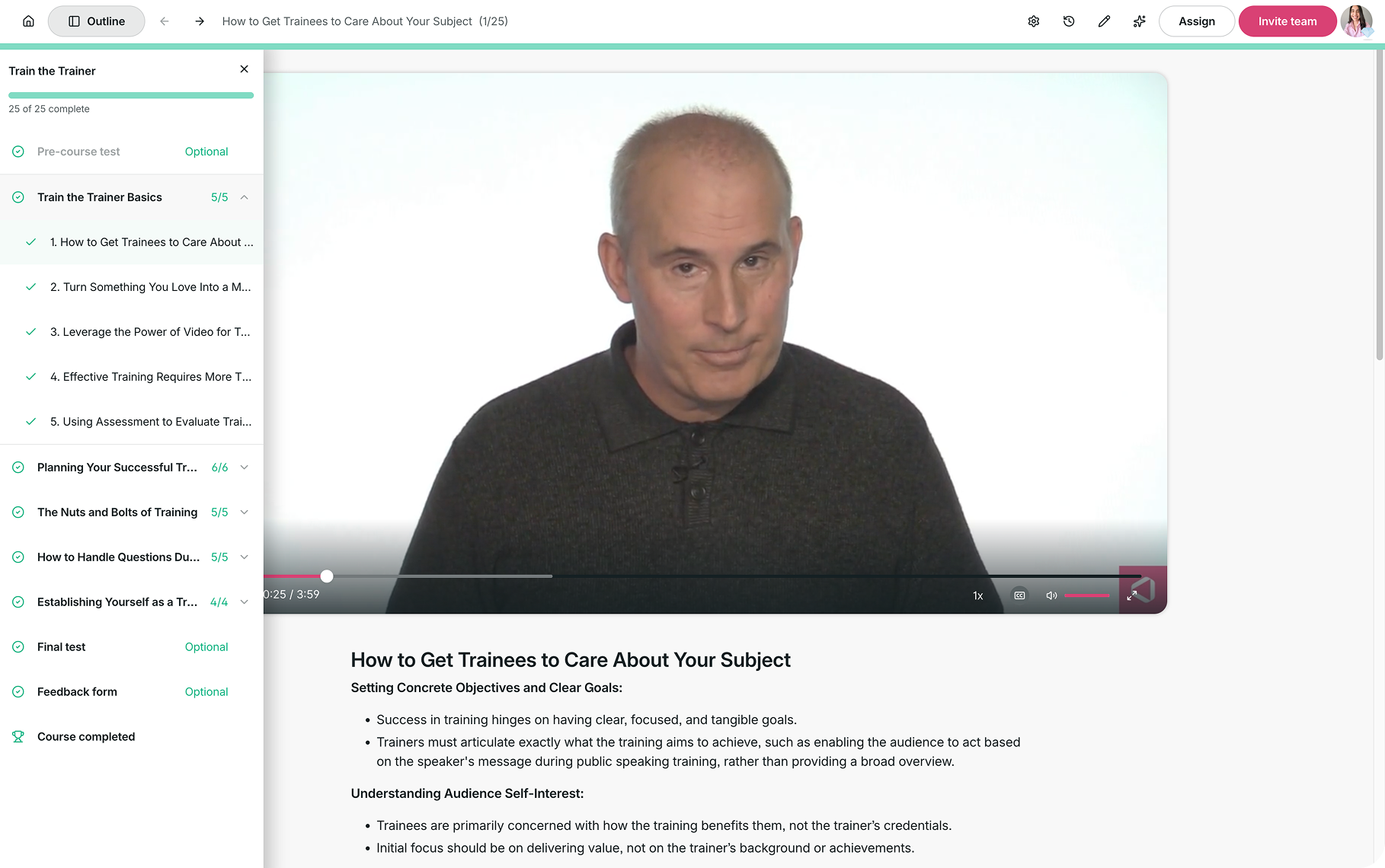
Once you start learning, you can open Outline at any time to see the course structure in the left-hand navigation.
This makes it easy to move between the different parts of the course, including lesson groups, individual lessons, tests, feedback, and the course completion page.
Your progress is also shown in the outline, helping you see which lessons and activities you’ve already completed.
Complete lessons
Select a lesson from the outline to begin learning.
Lessons can include videos and supporting learning content. As you work through the course, completed lessons are marked in the outline so you can easily keep track of your progress.
You can continue moving through the course using the outline or the course navigation controls.
Take quizzes and tests
Some courses may include quizzes within lessons to help you check your understanding.
Courses may also include a pre-course test before the main learning content or a final test before completion. These will appear in the course outline when included.
Complete other course activities
Depending on how the course has been created, you may also be asked to complete additional activities such as a feedback form.
Once you’ve completed the required course content and activities, you can reach the Course completed page and access any certificate available for the course.
Need more help?
Have questions about navigating your courses in GoSkills? Reach out to us at support@goskills.com. We’re happy to help!