
Need to say goodbye to GoSkills? We’ll be sad to see you go! 👋
If you have an individual GoSkills account, you can permanently delete your account and associated data directly from your account settings.
Note: Self-service account deletion is currently available for individual users only. If you’re a member of an organization, the Delete account option won’t appear in your account settings.
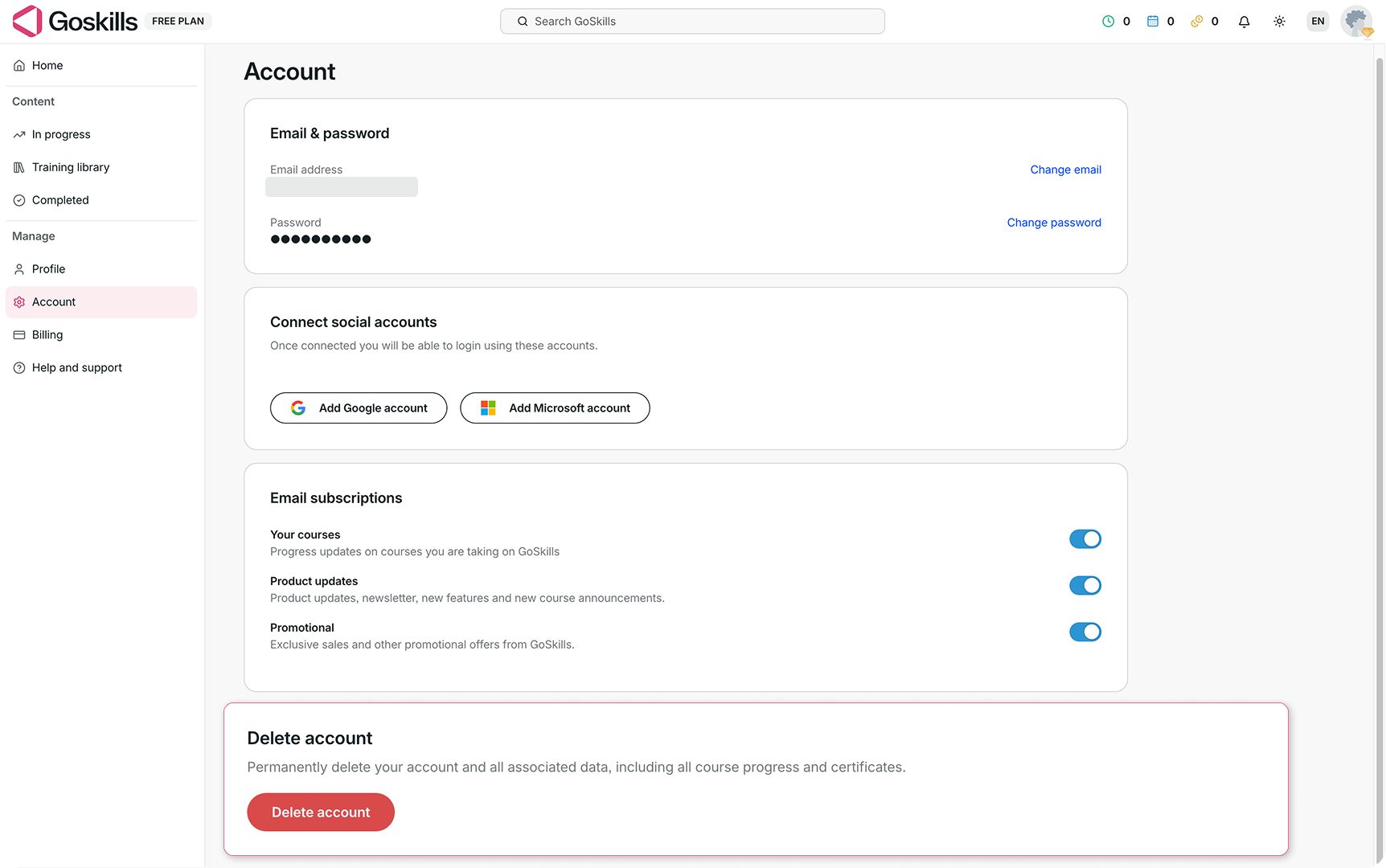
Delete your account
- Log in to your GoSkills account.
- Go to Account from the navigation menu.
- Scroll down to the Delete account section.
- Click Delete account.
- Check your email and follow the instructions to confirm your deletion request.
Once you confirm the request, your account will be scheduled for deletion in two weeks.
Before you delete your account
Deleting your account is permanent and will remove your account and associated data, including your course progress and certificates.
Make sure you’ve saved anything you’d like to keep before requesting deletion.