
To see the latest activity from learners and creators in your organization:
- Switch to your Admin role.
- Select Home from the left-hand menu.
- Scroll to the bottom of the Admin dashboard to find the Recent activity section.
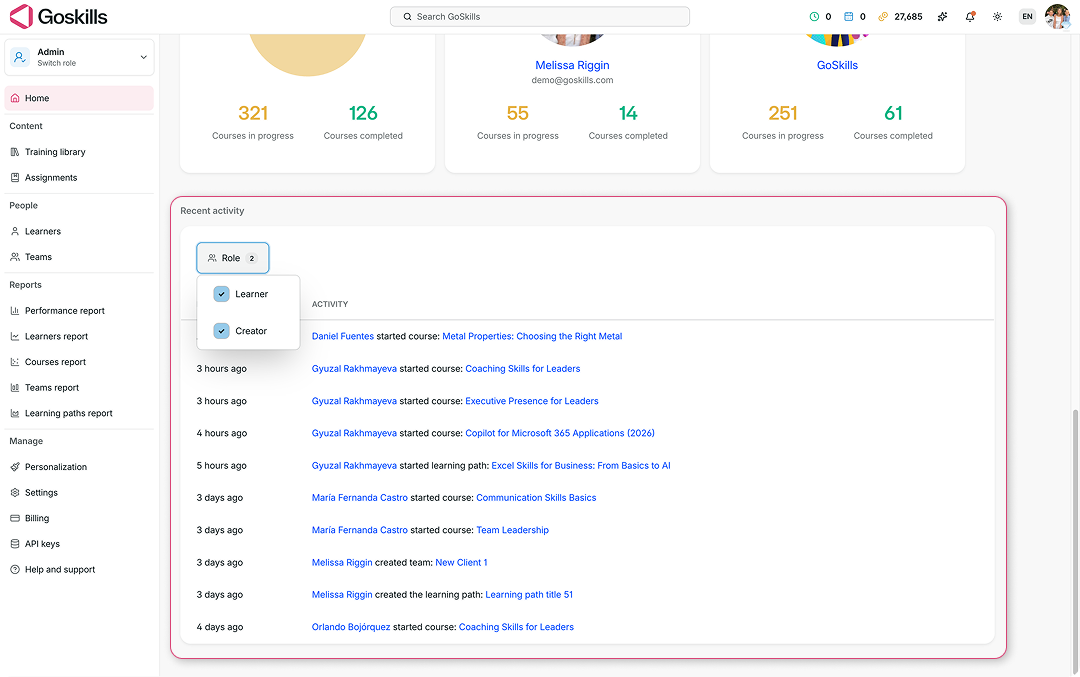
Here, you can quickly see recent actions across your organization, such as learners starting courses or learning paths, and creators creating teams or learning paths.
For more detailed information about learner progress and course activity, head to the Reports section in the left-hand menu. From there, you can explore reports for learners, courses, teams, learning paths, and more.
To learn more, see our Reports and analytics guide.